Fix download and installation problems
Help with interrupted downloads, Windows security warnings and updates.
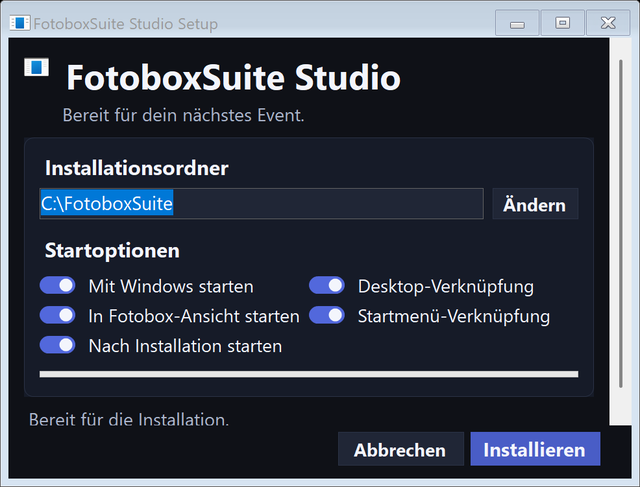
Find the point at which the download or installation stops. The installation guide describes the normal setup process.
The browser download fails
Open the browser's download list and read the exact message. Check free disk space and your connection, then retry the original installer download. A download that starts is not yet a completed installation.
Windows shows a security warning
Windows SmartScreen may warn about a newly downloaded app. Check that you downloaded the file directly from fotoboxsuite.de. If you trust this original file, open More info and then Run anyway if those options are offered. Keep Windows protection enabled. Contact your administrator if your device is managed.
The old app version still opens
Close Studio, finish the installer and reopen the app using its normal shortcut. Check the version under Windows App. Downloading an installer alone does not install it, and an older portable copy can still start separately.
An update stalls or installation fails
Save the exact error message, app version and the step where it occurred. Check free disk space. After closing Studio, you can install the latest original package manually. Do not delete photo or event folders to make room.
Send a support request
Open Support chat and include your Windows version, browser, app version, exact message and the steps to reproduce it. Never send passwords or cloud access keys.