01
Prepare online
Design events, layouts and photo booth views in the customer portal. Then assign the appropriate event to your photo booth.
View event preparation →Photo booth software for Windows
Prepare events online. Control the camera, layouts, printing and photo output with your Windows app on site.
Try Business free for 30 days. View plans
 FotoboxSuite StudioWindows app · Example view


One connected workflow
Prepared in the browser, available on the photo booth and ready for your guests after capture.
Design events, layouts and photo booth views in the customer portal. Then assign the appropriate event to your photo booth.
View event preparation →Guests start capture in photo booth mode. The Windows app connects the camera, photo layout and printing in the prepared workflow.
Design the guest interface →Share photos by QR code and gallery, and use the USB or cloud backup prepared for the event.
View output and backup →Your event design
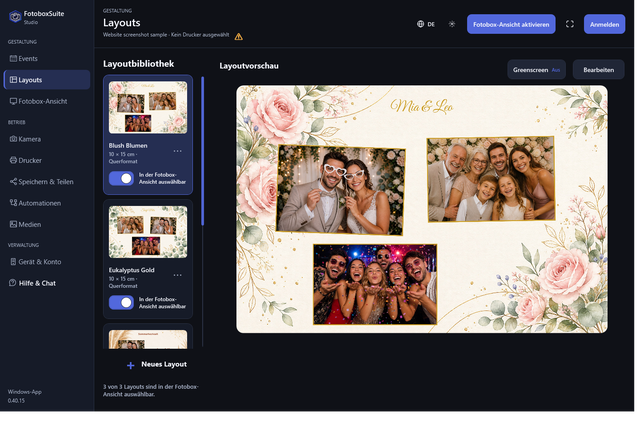
Floral photo layouts, clean event designs and classic photo strips. The preview shows editable FotoboxSuite templates with sample photos.
Sample photos are used for layout previews. View 10 × 15 cm prints and double 5 × 15 cm photo strips →
App and portal work together
Your workspace on the photo booth and the guest interface belong to the same event.
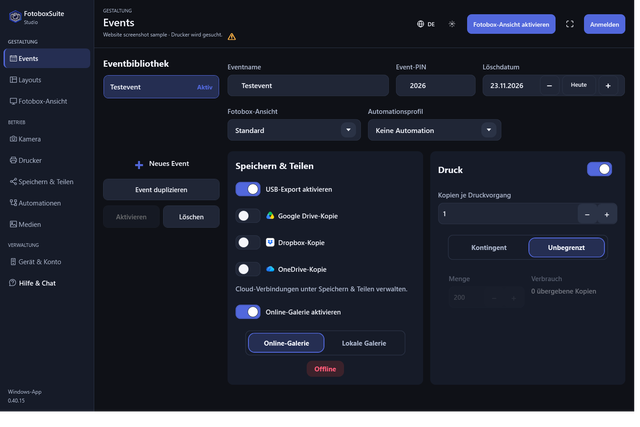
In Studio, check the loaded event, camera, printing and output on site. Prepare the deployment in the customer portal beforehand and assign it to the correct device. Prepare events →
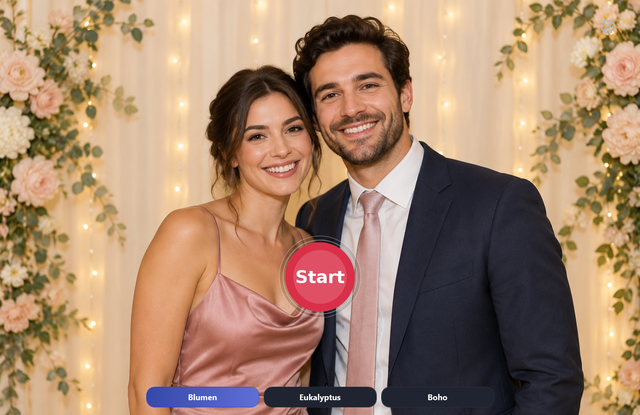
Start, capture and result form a clear workflow. Design the start and result screens to suit the event, with your own background, text and planned photo output. Design photo booth mode →
Design 10 × 15 cm prints and double 5 × 15 cm photo strips: format selection, print-sheet preview and cutting on a Windows printer.
Learn more →Prepare virtual photo backgrounds for each layout and calibrate the camera on site. Includes the workflow, requirements and quality limitations.
Learn more →Prepare events, layouts, photo booth designs and galleries in the customer portal, then select the appropriate event on multiple Windows photo booths.
Learn more →Design the photo booth’s start screen and result view: live view, your own images, text, QR code, Print and Done.
Learn more →Understand Canon, Nikon, Sony and Windows cameras: SDK support, software integration, real hardware tests, print formats, DPI and strip cutting.
Learn more →Prepare capture and printing without internet: offline licensing, local QR sharing, USB, Google Drive and Dropbox copies, and OneDrive requirements.
Learn more →Your next event
New accounts receive the full Business features for 30 days without a watermark, for up to 10 devices. Access then ends unless you subscribe to a plan. No subscription starts automatically. Check the camera and printer with your own setup before your first event.